UHRS App is mandatory to download and without this you can’t access UHRS in any device. In this post I will guide you with steps to install UHRS Mobile App and pros and cons of this app. If you are working on UHRS a popup notification appears to install UHRS app.
There are many advantages and disadvantages so carefully read this article you will get insights of app and guidance to install it. From June 2021 Downloading this App is mandatory and you can’t access UHRS Marketplace without this.
How to Download UHRS App?
When you open your UHRS Marketplace a pop up generally appears to install UHRS App but following those simple step won’t let you download app because links are broken or it will ask you to join vendor’s google group.
I will share two real methods to download this app and you will also learn which app is genuine with its Pros and Cons. Let’ start first with the message you are getting on you dashboard. It displays pop up message saying UHRS App is mandatory to install to access marketplace.
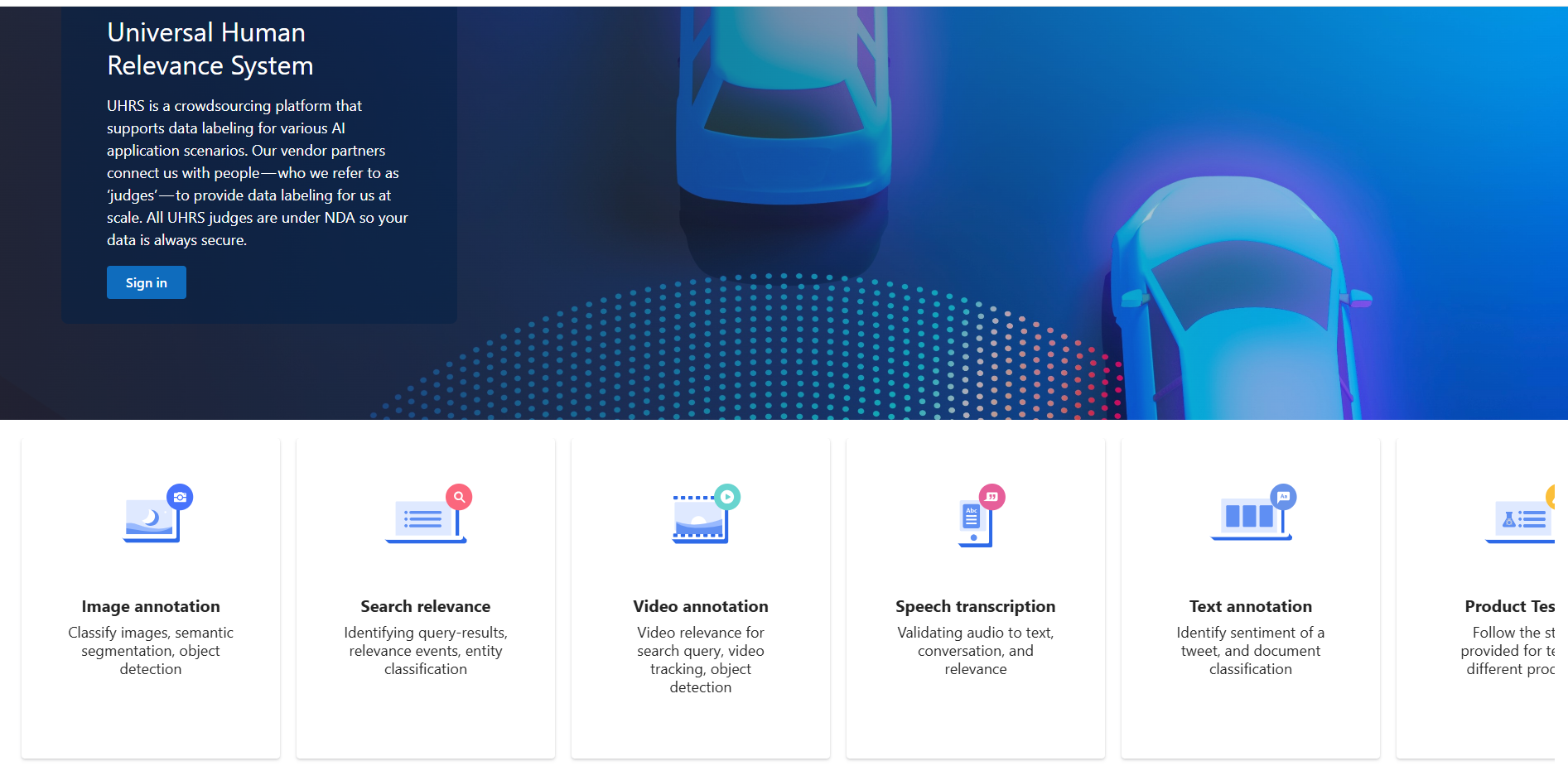
More details you will find in FAQ section like How to install app? Why should you install UHRS Mobile App? Benefits and specific access to new HITs (Human Intelligent Tasks). Also common question answers you will find.
Recommended Read: Marketplace UHRS Basics- Learn How to work on UHRS
Steps to Download UHRS App
Let me share two methods here to install UHRS mobile App you can refer anyone based on your convenience. Both these methods are simple to follow.
Method 1
- This simple step requires you to open UHRS Marketplace and follow below steps to install app
- First Login to UHRS using Microsoft ID and password on mobile with chrome browser
- Click on three dot menu on upper left corner and visit FAQ section
- Go to How to Install UHRS App on Mobile
- Click on Join Google Group you will find other crowd workers in this group
- Scroll messages you will find Download Beta UHRS App for Android and iOS links
- Clicking on these links will redirect you to Google Play Store or Apple Store
- Now Just Install and login with your Microsoft Live ID
Method 2
If your are Android user or iOS user follow direct download links to install UHRS app in your smartphone.
- Download link for Android users: Click here to install UHRS Mobile App
- Download link for iOS users: Click here to install UHRS app in iPhone
Note: Joining Google group is compulsory for Android users and if you try to open Android users download link in your Laptop this link might not work so try to open in your smartphone where it directly redirects you to Google Pay Store
I have also uploaded a dedicated step by step video on How to install UHRS Mobile App in your smartphone. You can check out this video
Complete Guide to Download and Install UHRS Mobile App
Advantages of UHRS App
Following benefits you will get if you install this app in your mobile phone. More than 85% crowd workers uses smartphone to work on UHRS so this app acts as easy access to marketplace.
- You will get early access to specific HITS designed for mobile phone
- Mobile App scenario and other High paying tasks access
- Easy and convenient navigation to UHRS HITs
- New HITs notification
Disadvantages of UHRS App
Although it is mandatory to install but there are limitations you should consider while working on UHRS Marketplace. Following are limitations
- It restricts user to create one UHRS Account per device
- Group often have lot of messages which distracts you while working
- Compatible for low paying tasks
- Desktop scenario and other high paying tasks are not compatible
Final Thoughts
UHRS Marketplace offers various HITs to earn money. Microsoft UHRS App is reliable and convenient for mobile users. As it is mandatory so downloading UHRS App is necessary. I hope the above methods to install UHRS app, you find useful. Let me know in comments if you have any questions. Feel free to ask your doubts.
If you are looking for part time jobs similar to UHRS then must check out UHRS Alternative platforms to register and earn money. You can also explore more No skills Job in menu section. If you still need any support just drop me a comment with issues your are currently facing. I will answer all your queries.
Share this Article with Friends!